Table of contents
Start for free
The best encrypted note taking apps
We store more private information in our note-taking apps than in our homes. What are the best encrypted notes apps with fantastic privacy and best-in-class features?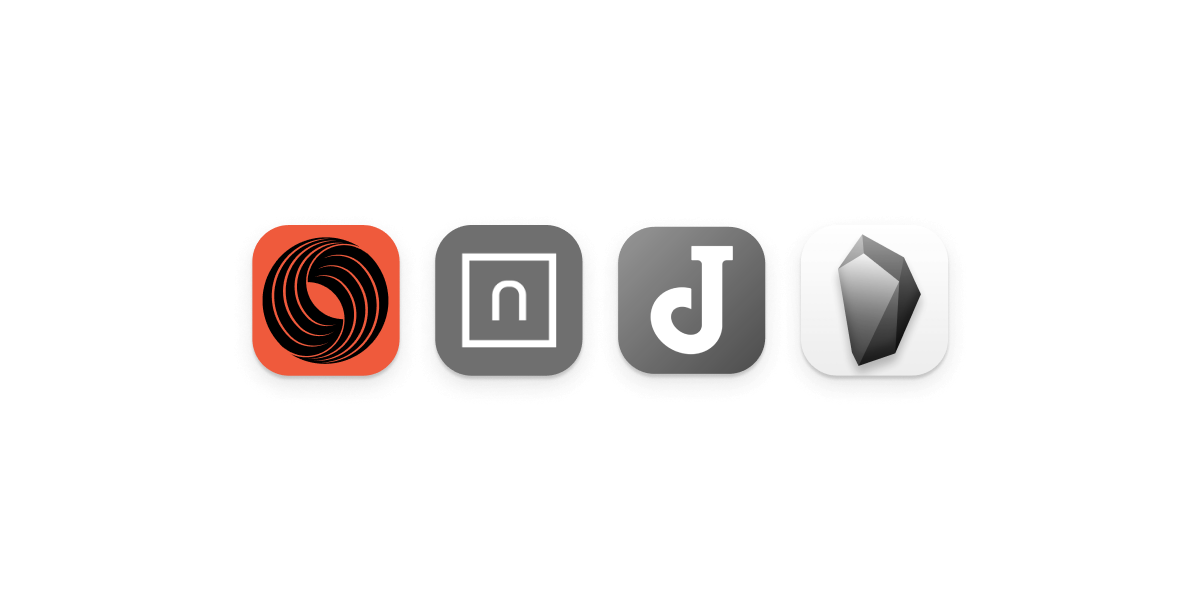
A new era for productivity has made the next generation of products for writing, sharing, and collaborating popular among consumers. Big tech and startups alike have offered new productivity solutions, from Notion and Evernote to Obsidian and OneDrive. Similarly, new note-taking formats and features, such as markdown formatting, mobile sync, and project management functionality, have made consumer expectations for new note-taking apps significantly higher.In this blog, we’ll walk through many of the newest and most popular apps for note-taking, personal productivity, and corporate communications (wikis, document sharing, and more). In particular, we’ll cover key areas to consider for more privacy and security minded users, including these apps’ privacy policies, encryption protocols,An end-to-end encrypted notes app is an app that ensures that the notes you store in it are only accessible by you and nobody else. This is done by encrypting the notes with a key that only you know, meaning that even if somebody managed to get access to the app's servers, they would not be able to read your notes. As we store more personal information in our notes than in our homes, this degree of privacy is essentialEnd-to-end encryption for files is a way of encrypting data so that only you or an intended recipient can access it. This is in contrast to traditional methods of encrypting data, which typically involve the use of a central server. End-to-end encryption ensures that no one but the intended recipient can read the data, even if it is intercepted by a third party. This makes it an essential tool for protecting sensitive data, such as medical records or financial information.
Encryption and security: Key terms
End-to-end encryption: End-to-end encryption is a communication method where only the people communicating can read the messages. This type of encryption requires the use of two unique keys, one of which is public and one of which is private. The public key can be shared with anyone, but the private key must be kept secret. In order for two people to communicate using end-to-end encryption, they must first exchange public keys. Once they have done so, each person can use their own private key to encrypt messages before sending them. The recipient can then use the sender's public key to decrypt the message.In the notes context, end-to-end encryption means only the person writing notes can see them, or any intended recipients if sharing. Given how prevalent end-to-end encryption is in all messaging apps (Signal, WhatsApp, Session, and more), we expect privacy-first and encrypted notes app to support it.Two-factor authentication: For a privacy or security minded user, 2FA may yield important security protections from unauthorized access to your account. Even if someone knows your password, they won't be able to access your account unless they also have your second factor, which could be a code from your phone or a fingerprint.AES encryption: AES-256 bit encryption typically means a provider using a basic good practice to encrypt data at rest instead of storing it in plain text. Generally, this provides quite a week layer of protection as it fails to mitigate any privacy risks from the provider, law enforcement or others accessing data, or if the note-taking provider suffers a data breach where employee credentials or login credentials are exposed (which is unfortunately common). As a result, this standard does not live up to most consumer needs for a secure note-taking app.Google Keep, Evernote, Apple Notes, Microsoft OneNote?
Unfortunately, the most popular consumer productivity apps were not built with strong consumer privacy protections in mind. Most products have great usability and compatibility features, including web apps (accessible from all web browsers, including Chrome, Safari, and Firefox), mobile apps, and cloud synchronization, that we use to evaluate privacy-focused alternatives. All note-taking products below have either free versions or student plans for accessibility.Evernote: Evernote is incredibly popular, compatible across many devices, and easy-to-use. The company introduced many of the modern rich text processing features all note-taking apps use today, such as embeddings, pinned or favorite notes, and simple tagging and organization tools for individual notes. It provides simple synchronization across devices and mobile apps.However, Evernote provides relatively weak privacy protections - the service does not offer end-to-end encryption and has suffered from significant data breaches in the past. Given this, we recommend choosing a service with end-to-end encryption, 2FA, and more sophisticated privacy protections.Apple Notes: Apple notes is native to every Apple device, including iPhones, iPads, Mac, and more. Notes also synchronize to users’ iCloud accounts, enabling simple backup for quick notes and writing. As a result, it is a popular default choice for consumers. By default, notes are not end-to-end encrypted, but consumers can create “secure notes” that are end-to-end encrypted with a user-chosen password. This does add a level of privacy protections and optionality for users but not the same level of privacy-by-default that the cloud services mentioned below can provide.Dropbox Paper: Dropbox Paper is a familiar product to existing Dropbox users. It provides a very simple, minimalist text editor with a basic set of features for planning, distributing tasks, and working together - suggesting a more team-based usage context. Notes, as with all files on Dropbox, are not end-to-end encrypted. For Dropbox users, we recommend reading our blog on encrypted cloud storage providers.Google Keep: Google Keep is generally quite similar to Apple Notes in privacy and encryption. Notes are “encrypted in transit” and “at rest,” but not end-to-end encrypted, yielding many of the same privacy concerns that plagued the note-taking products mentioned above.Notion: Notion is also not end-to-end encrypted and not considered a security-minded note-taking app. However, the product’s extensive templates for shopping lists, education, and project management have made it quite popular among consumers and students.OneNote: OneNote is Microsoft’s note-taking addition to their office suite. The product is simple, easy-to-use, and provides a text editor familiar to many current office users. However, notes are not end-to-end encrypted, which means you may want to take your private notes and thoughts to one of our top picks listed below.Our top picks
Generally, we highly rank providers that are open-source, intuitive and easy-to-use, and offer great value for users. Once you commit to a note-taking app, you may want to import years of content from other providers and local files. As a result, it’s important to know that a company’s prices, product features, and policies will not change significantly from when you sign up.Skiff: Skiff is a privacy-first, end-to-end encrypted workspace that offers note-taking and collaboration, email (Skiff Mail), and file upload, storage, and sharing (Skiff Drive). Every email, file, and note on Skiff is end-to-end encrypted, keeping your personal information private to you. The company also offers a sophisticated technical whitepaper, open-source repositories covering encryption and most client code, and a technical audit.Skiff offers iOS, Android, Mac/macOS, and more native applications for their note-taking, collaboration, and mail products, which can easily be downloaded online. Generally, Skiff is well suited for most applications, particularly for users who are looking for a broader collaboration suite (beyond just notes) or may be collaborating in groups or professional organizations.Standard Notes: Standard Notes is a well-featured note-taking app that provides cross platform apps as well as end-to-end encrypted storage. Standard Notes offers marketing materials emphasizing how encryption, security, and privacy yield critical benefits for collaboration and creativity. Standard Notes’ source code is open-source and links to information about cryptographic audits and security.For features, Standard Notes emphasizes covering critical note-taking functionality but not overwhelming users. This includes nested folder structures, pinned notes, and daily backups to ensure you can always revert to a previous version of a note, spreadsheet, or todo list. One note for potential users is that the paid plans go up significantly in price, to $59 and $99 per year, and offer additional note-taking features (such as spreadsheets) and more sophisticated backup and retention policies.Joplin: Joplin is a note taking app that allows users to create and organize notes in a variety of ways. Notes can be created in a variety of formats, including text, images, and audio, and can be organized into notebooks for easy access. Joplin also includes a variety of features for note taking, such as the ability to add tags and search for notes.Joplin is open-source, maintains Linux, Android, iOS, macOS, and Windows apps, and also offers built in cloud-sync functionality called “Joplin cloud.” Finally, Joplin scores highly on their use of end-to-end encrypted to keep all user notes private. For more convenience features Joplin offers a web clipper directly integrated into the notes app to allow for cataloging, storing, and sharing webpage content. Joplin can also be self-hosted for the more technically minded users.Obsidian: Obsidian is a largely different class of note-taking and productivity, where notes become graphs and your mind considered a web of knowledge. Obsidian also offers cross-platform apps for Windows, Linux (multiple distributions), macOS, and other platforms, and is particularly marketed towards more technical users. Note that Obsidian uses a more barebones markdown editor, relying on MD syntax for all text formatting.For a consumer coming from Evernote, Notion, OneNote, or a similar product, we would advise trying Obsidian along another product on this list as it has the largest learning curve. However, if you are an expert with markdown, experts, linking, and graph views, Obsidian could be an excellent choice. Like many other configuration options, Obsidian leaves end-to-end encryption as an option for the user; you can create either end-to-end encrypted vaults, or “managed” vaults where Obsidian maintains a copy of the encryption keys. For this reason as well, unless you are prepared to manage your own keys and passwords, an app like Skiff or Standard Notes may yield a more intuitive experience.What to look for in a note-taking app
End-to-end encryption: End-to-end encryption is a type of data security where only the sender and the intended recipient can access data, or a user can encrypt data without giving access to a cloud provider or other party (including law enforcement). The data is encrypted at the source before it is sent over the network, and can only be decrypted by the intended recipient. This type of encryption is often used for file storage, so that only the sender and the recipient can access the stored files.Import, export, and migration: The best note-taking apps offer robust import, export, and conversion features that allow consumers to easily transfer data in and out. In some cases, this process can be automated to just one or two clicks, such as Skiff’s one-click Google Drive and Docs import. Otherwise, many providers accept imports for TXT files, Doc/Docx files, and markdown (MD) files as well. When you’re transitioning to a new note taking app, having a migration plan is critical to ensure compatibility and accessibility for your information.Privacy policy: Most people do not read privacy policies when they sign up for websites or apps. This is a mistake. Privacy policies are important because they tell you what information the company collects about you, how they use it, and whether they share it with others. If you do not read the privacy policy, you may be giving the company permission to do things with your personal information that you do not want them to do. To avoid this, take the time to read the privacy policy before you use any website or app. If you do not understand something in the policy, look for an explanation elsewhere on the website or contact the company to ask for clarification.Terms of service: Terms of service are also often inscrutable - lengthy and filled with legal jargon that can be difficult to understand. However, it is important to take the time to read and understand the agreement before agreeing to it. Here are a few tips to help you read and understand a terms of service agreement:1. Read the agreement in its entirety. Don't just skim through it. In particular, you’ll care about what limits providers may put on your account, or when you may be denied access to your account (when you exceed storage space?).2. Be aware of what you are agreeing to. For example, if you are agreeing to allow a company to collect your personal data, make sure you understand how that data will be used and what rights you have to it.3. Make sure you are comfortable with the terms of the agreement before agreeing to it. You should never agree to something you don't fully understand or are not comfortable with.Conclusion
There are numerous reasons to choose a privacy-first, encrypted notes app that protects your sensitive information above all else. Beyond simply protecting your information from being accessed by unauthorized individuals, encrypting your notes can also help to prevent data loss in the event that your devices are lost, stolen, or accessed by a malicious individual.Finally, in a world where privacy is generally fleeting and rare, encrypted notes apps keep our personal information private and owned by us - restoring many of the critical expectations we have for our personal writing and communications. We highly recommend trying one of the privacy-first, encrypted note-taking products mentioned above in “our top picks.”Related articles
Andrew Milich10 tips for setting up an email accountSetting up a new email account can be a daunting proposition. Follow these tips for a painless migration and setup process.
Andrew MilichWhat's the best encrypted cloud storage provider?Choosing a cloud storage provider? Consider these platforms, security guidelines, and tips when setting up your account.
Skiff TeamIs Notion end-to-end encrypted?Is Notion end-to-end encrypted? Are your notes, wikis, and documents safe and secure?
Chai PedadaWhat files do you need to encrypt?Encryption, privacy, and cloud storage can be challenging to manage for your personal and professional sensitive data. How can you easily keep sensitive information safe?
Gilbert ZhangWhat is the best password manager?Looking for a password manager that combines robust security with ease of use? We’ll review all of the most common password managers in this blog.
Arpeet KaleWhat is device and browser fingerprinting?Device fingerprinting can follow you around the web without you even knowing. How can you stay private?
Andrew MilichQuick guide: Get your custom domain set upHow can you add a custom domain to your Skiff account? Learn more in this guide.
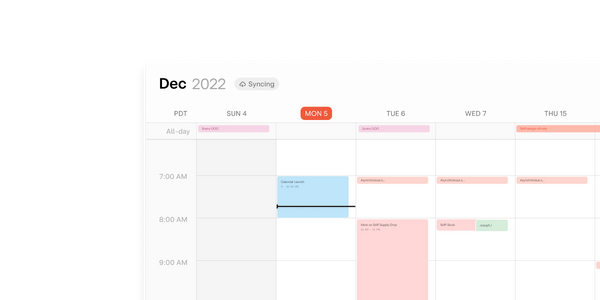
Skiff TeamSkiff Calendar Launches!Skiff Calendar is out: Privacy-first, end-to-end encrypted, and easy to use.