Table of contents
Start for free
Eli MacKinnon / 1.13.2023Home / Email Security
Figuring out email encryption services—the good, the bad, and the ugly
The best email encryption services should deliver in terms of features, UI, efficacy, and cost. Our experts help you understand what the desired model is.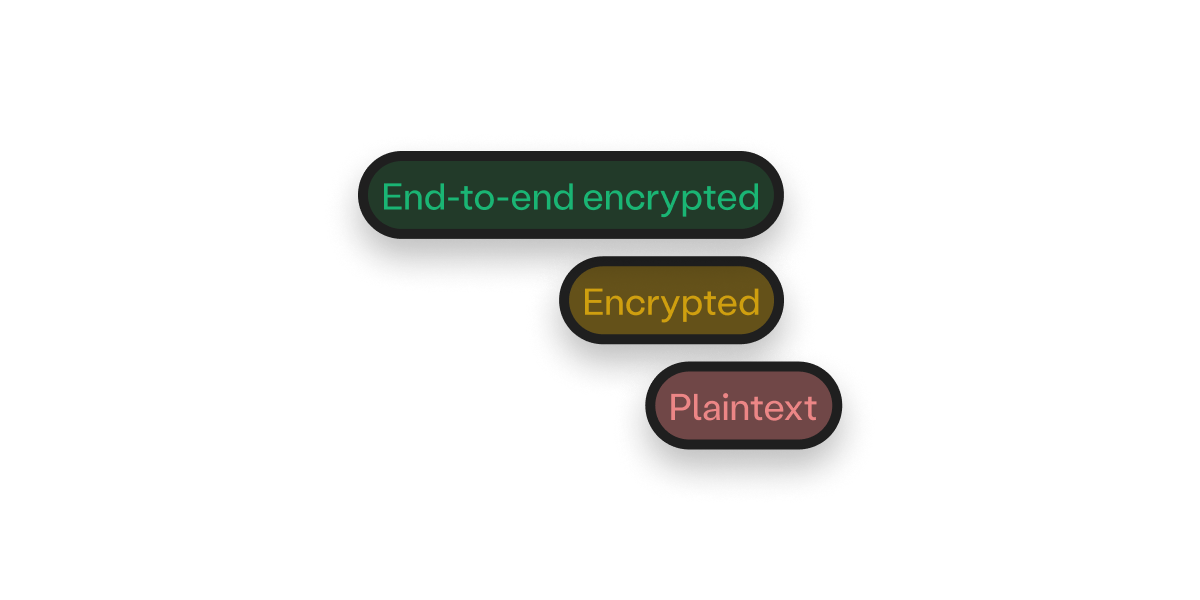
No matter how many messaging apps and social media platforms we use, emails remain the backbone of internet communication. Unfortunately, they are also insecure on a rudimentary level. Email encryption services have become the need of the hour because of the security loopholes found on traditional platforms.Email users are increasingly aware of their messages being snooped on for advertising and commercial purposes. They also know, to some degree, that encryption can shield their content from prying eyes. The problem usually lies in finding email encryption solutions that are actually effective and can be easily integrated into everyday life.This guide will help you find an ideal solution for meeting your online security needs—you’ll learn about:
Privacy-first emails should use a combination of symmetric and asymmetric cryptography in their end-to-end encryption (E2EE) architecture if they want to offer efficient services. Skiff follows a hybrid E2EE model, providing simplicity, efficiency, and the highest security standard in a single product. Sign up to get started with a free account!
You can open a Skiff account from any browser or access the respective applications on iOS, Android, or macOS (any device).
Never worry about encrypting emails again—create your Skiff account to discover what a superior private email infrastructure looks like!
- Factors determining the reliability of an email encryption service
- Types of email encryption programs
- Desired features of efficient email encryption tools and services
What are the basic tenets of a secure email encryption service?
Emails are a repository of personal data, making them hot targets for untoward schemes like hacking, phishing, and spoofing. Encryption is the first line of defense your messages and attachments have against unauthorized third-party access.It is essentially a conversion of regular data into an unrecognizable (encrypted) cipher via a specific coding process. Ideally, only the intended recipient(s) should be able to decrypt the messages—but that's typically not the case.It’s not wise to blindly pick any product that claims to offer encryption. Even Gmail and Yahoo! implement encryption to some extent, but that never did much to secure your inbox or confidential data. Take Gmail, for instance—it encrypts data during transit but still has access to all of your email contents. The content of your messages is available to the provider and can be searched, indexed, and compromised by any hacker who infiltrates Google systems or by employees.End-to-end encryption (E2EE) is what truly embodies the spirit of online security. “End-to-end” implies the data is encrypted and decrypted at the sender’s and receiver’s end, remaining fully unintelligible to anyone else as it travels through the network or sits on servers.The strength of E2E encryption is determined by the following factors:- The robustness of the encryption architecture
- Security decisions made by decryption keyholders (users)
The complexity of the encryption setup
Email encryption techniques have been around for a long time, but hackers and scammers keep finding elaborate ways to bypass ciphers and providers. In the current scenario where data threats have become more common, it is important to go for encryption services built on advanced, impenetrable algorithms.A secure email provider typically uses symmetric or asymmetric encryption, or even both in certain respects. Symmetric encryption is a less complex encryption technique, while the asymmetric version is highly advanced and requires far more infrastructure and setup to implement across a user group. Refer to the following table to get an overview of both options:| Parameter | Symmetric encryption | Asymmetric encryption |
| Technique | Symmetric encryption (also known as private or shared secret key encryption) requires a single key to encrypt or decrypt data. The user must share the key every time they want someone to decrypt the content | Asymmetric encryption requires two separate keys to encrypt and decrypt the content. Each user gets a mathematically related public and private key pair. The private (decryption) key doesn’t get shared among recipients and is stored safely on the user’s device |
| Size | The size of the encrypted text is about the same as the original content, which makes the encryption process fast and simple | The size of the encrypted text is larger than the original, which makes the processing relatively slower or more computationally expensive |
| Security | Key security and management is a major risk because anyone (hackers + middlemen) who steals the shared key can decrypt and access the data | Since the decryption key is never shared via the internet, it is virtually impossible to steal, making asymmetric encryption more secure than the symmetric one |
Decryption keyholders
Any email encryption service becomes less secure with more parties having access to unencrypted plaintext email content. When an email leaves the sender’s browser/device, it passes through various servers and routers on the network before entering the receiver’s inbox. Your encrypted data can be infiltrated if someone else gets ahold of or has access to a decryption key at any step or if an employee of an email service provider tries to access individual emails.For Big Tech email providers like Gmail and Outlook, applying Transport Layer Security (TLS) encryption protocol is the standard. This protocol encrypts data while in transit, but all email content is still accessible to the email provider.Many products advertise as encrypted software or services, but you can recognize a secure email system by determining who owns the decryption key. E2EE service providers enable first-rate protection because the recipient is the one creating and holding the decryption key—not the servers or the operators.The messages remain in encrypted form everywhere besides on their device, and nobody except the recipient, including the email service provider, can decipher them. Even if the message gets intercepted during transit, the hacker is powerless without the decryption key because they only see the cipher text.Email encryption tools and services—available options
Email encryption services come in three options depending on your needs:- Browser extension—Several encryption products are available as browser extensions. They provide a specific type of encryption to your existing email address, typically encrypting the message before it leaves your browser. Extensions are often viewed as security risks because you have to give them numerous permissions to access all site data, which can defeat the whole purpose of encryption
- Mail encryption software—An encryption software for email also allows you to encrypt the outbound texts from your current email address. You’ll find several products that can be integrated with Big Tech emails, but the ease of use can vary. Software with top-grade E2EE setup often requires manual encryption of each outbound text, which can be frustrating or time-consuming for many email users
- Full-fledged encrypted email solution—Using separate encryption tools for existing email addresses can be complicated. The best option is an email service provider with end-to-end encryption features built in. You create a new email address with a suitable vendor and migrate to a more secure email infrastructure
Why Skiff is the best email encryption service for you
Skiff Mail is everything you need in an ideal encrypted email service. The platform offers an end-to-to-end encrypted email setup that gives users full ownership of their data. You’ll get peace of mind from knowing that no one on the internet—not even Skiff—can ever know what’s in your inbox!Sign up for Skiff, and you’ll get:- Free 10 GB of storage space
- Multiple email aliases
- Email search and filter options
- Customizable features like domains, aliases, and labels
- Skiff Pages—Skiff Pages allows you to create pages, notes, and wikis for collaboration and storage. Skiff also integrates with Interplanetary File System (IPFS), the biggest decentralized storage provider, enabling complete security and privacy of your stored data
- Skiff Drive—Skiff’s E2EE cloud storage is suitable for housing all types of files and offers up to 1 TB of space to each user
- Skiff Calendar—No email service is complete without calendars. Skiff’s E2EE architecture keeps your meeting and event entries completely safe and private
Why Skiff leads the way in quality end-to-end encrypted email solutions
The desired model of any E2EE service revolves around ease of use, reasonable pricing, and client-friendly features.Prior to Skiff, all encrypted email solutions came with usability, privacy, or security disadvantages. The team researched these drawbacks to create the ultimate user-focused product suite.Check out how Skiff makes E2EE emailing inherently better:| Aspect | Typical E2EE products | What Skiff offers |
| UX/UI | Complicated design, difficult to navigate, unintuitive, lagging performance | Minimalistic and modern design, intuitive user interface, high-speed performance |
| Privacy transparency | Usually not transparent—it’s hard to verify if the product supports robust encryption schemes | Skiff Mail is an open-source product—anyone can go over the code or check the Skiff whitepaper to find out how E2EE works |
| User identification | User identification data is stored with the service provider | Skiff doesn’t collect or store user data and follows a zero-info login setup. You can also boost your privacy with a two-factor authentication (2FA) option |
| Censorship-resistant storage | Most E2EE services don’t do much for censorship resistance and users owning their data | Skiff allows for decentralized storage, enabling greater portability and censorship resistance via an IPFS integration |
| Pricing | E2EE products can be expensive if you want premium features | Skiff's free plan is generous and includes features other providers offer only with their paid plans —such as an email search option, 10 GB of free storage, and auto-reply feature. It also offers affordable Pro and Business plans with facets like greater storage space and more aliases |
How to make a new Skiff account
Creating a free Skiff account is 10x times easier than setting up Big Tech emails! Here’s what you need to do:Navigate to the Skiff Mail signup pageSet up email username and password—you can also use your crypto wallet to create an accountSpecify an account recovery method—and you’re done!You can customize your account appearance and inbox features and access Skiff Pages, Drive, and other services without any hassle!Growing your team? Skiff Pro and Business Plans have your back!
Skiff’s free plan can work for every user, but if your needs are higher, the platform’s Pro and Business plans are as tempting as they come! Here’s a comparison of some prominent features:| Features | Free | Essential | Pro | Business |
| Drive storage | 10 GB | 15 GB | 100 GB | 1 TB |
| Sending messages (limit) | 200/day | Unlimited | Unlimited | Unlimited |
| Folders and labels | 5 | Unlimited | Unlimited | Unlimited |
| Custom signatures | ||||
| Auto reply | ||||
| Schedule or undo send | ||||
| Email + doc text search | ||||
| E2EE link sharing | ||||
| Document limit | Unlimited | Unlimited | Unlimited | Unlimited |
| Skiff.com aliases | 4 | 10 | 10 | 15 |
| Custom domains | 0 | 1 | 2 | 15 |
| Workspace collaborators | 6 | 6 | 6 | Unlimited |
| Doc version history | 24 hours | 24 hours | Unlimited | Unlimited |